
Push for what matters
Critical EASM findings, CISA KEV matches, fresh dark-web hits, and brand-impersonation events trigger push notifications. Severity-aware filters keep the noise out.
Deepinfo Mobile is the companion app for your platform. Push notifications on critical findings, triage on the go, and at-a-glance status across every module. Built for the moments when you are not at your desk.
Included with every Deepinfo subscription. Sign in with your platform credentials.
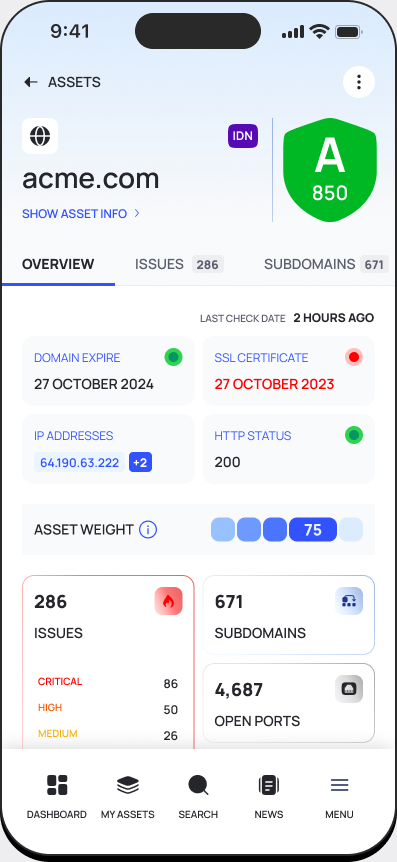
The companion app covers the few things you need when you are away from the platform: see what matters, decide what to do, and route the rest to the team.
Critical EASM findings, CISA KEV matches, fresh dark-web hits, and brand-impersonation events trigger push notifications. Severity-aware filters keep the noise out.
Approve, dismiss, acknowledge, or escalate findings without opening a laptop. Status changes sync back to the platform in real time and update any open ticket.
EASM, CTI, BRP, TPRM, and DSI all flow into a single mobile view. Switch modules without losing context. The same severity model and asset inventory you use on the desktop.
Search any domain, subdomain, or IP in your inventory and pull its current posture, last scan, exposed services, and recent findings. Works for ad-hoc questions in a meeting.
Comments, @mentions, and status changes flow through the same workspace as the desktop platform. Hand off a finding mid-walk without dropping into chat.
Four scenarios where mobile beats laptop. Designed for the actual work patterns of security teams, not for marketing screenshots.
A CISA KEV match lands at 11pm. The push notification surfaces severity, affected asset, and exploit context. Acknowledge, escalate, or start the runbook from your phone screen.
Walking into a board meeting and need the current critical count, KEV exposures, and weekly delta. Open the app, screenshot the summary, paste into the agenda.
A consulting engineer on a customer site needs to pull a third-party risk profile or look up a recent finding. The app delivers the same data the desktop does, sized for one hand.
Did the patch land? Is the lookalike domain still up? Is the vendor rescan done? Quick lookups belong on a phone, not a laptop boot.
Free to all Deepinfo customers. Sign in with your platform credentials. Same role-based access controls as the desktop.
Already a Deepinfo customer? Install the app and sign in. Evaluating Deepinfo? Book a demo to see the platform that the app extends.